Call Blocker - Block Numbers
- 4.1
- Rating
- 5.00M
- Installs
- Free
- Price

 Analysis by App-foxy
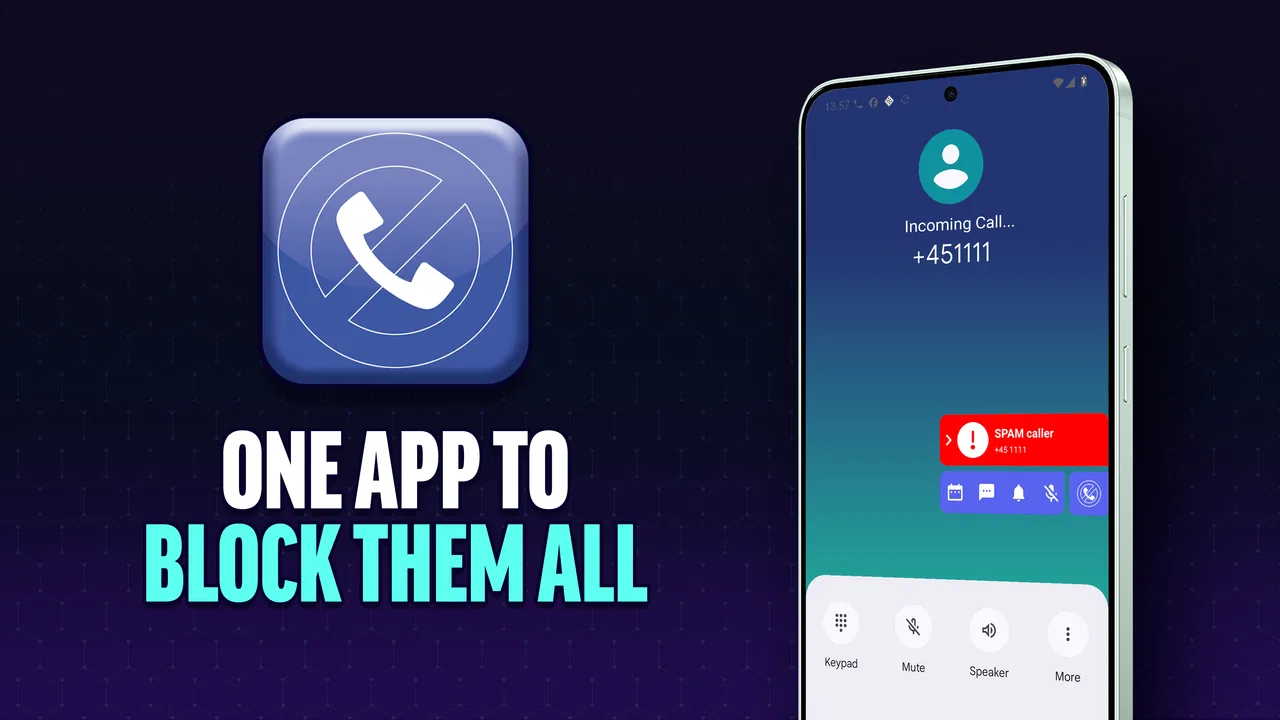
Unwanted calls are more than a small annoyance. They interrupt work, wake people up, distract older relatives, and can make every unknown number feel suspicious. I spent time testing Call Blocker - Block Numbers as a communication app, paying particular attention to how easy it is to understand, operate, and use in different everyday situations. My overall impression is that it aims for a simple job: reduce the number of spam and scam calls reaching you without turning phone management into a complicated project.
The app comes from Spam Call Blocker Apps and is free to install, with optional in-app purchases ranging from $2.99 to $19.99 per item. It is rated for Everyone, runs on devices using Android 10 or later, and its current version is 2.8.0.1683. Those details matter because call-blocking tools sit close to the phone’s basic communication functions: the app needs to be understandable at a glance and dependable enough that I do not feel forced to investigate every incoming call manually.
How clearly the app presents call blocking
I find that call blocking works best when it is treated as a small, deliberate routine rather than a switch I set once and forget. In this section, I look at whether the app’s focused purpose stays understandable during ordinary use, including the moments when a quick decision could have consequences. That clarity matters even more when a phone is shared or someone else helps manage it.
You May Also Like

 Blood Strike: 2.5 Anniversary
Blood Strike’s Loadouts Turn Every Drop Into a Tactical Gamble
A close look at Blood Strike’s custom loadouts: how fast access to signature weapons reshapes its battle royale rhythm, rewards preparation, and narrows the gap between fights.

 Pandora - Music & Podcasts
Pandora’s Music Is Easy to Start, but Harder to Recover
Pandora’s strength is its low-effort path from a seed to a station. Its weak spot is how much confidence it asks you to place in connection, setup, and quiet recovery.

 8 Ball Pool
 Is Built on Rivalries, Rematches, and Routine
A close look at the rivalries, rematches, shared routines, and unanswered safety questions that turn a quick pool match into a persistent mobile community.

 Samsung Music
’s Quiet Strength Is Playing What You Already Own
Its reach comes less from spectacle than from dependable access to a personal library. That simplicity is both the app’s strongest retention engine and its ceiling.

 AccuWeather: Weather Radar
AccuWeather Review: A Quick, Clear Forecast for Everyday Decisions
For everyday plans, the best forecast is the one you can understand quickly. AccuWeather makes rain timing, radar, and local conditions easy to act on, with a few trade-offs.

 Hill Climb Racing
Why Hill Climb Racing Still Turns Crashes Into One More Run
A tiny car, a bumpy hill and one more upgrade: Hill Climb Racing keeps resurfacing because its simple chaos makes every near-miss feel personal.
More From Our News Desk



Readability and navigation
The strongest part of this app is its direct purpose. It is not trying to be a full messaging suite, contact manager, or social platform. The focus is blocking unwanted numbers, so the experience makes the most sense when I approach it with one question: which calls do I want to stop, and which calls must still get through?
That narrow focus can be helpful for people who find crowded apps tiring. A person who is not comfortable with advanced phone settings may prefer a dedicated tool rather than searching through several system menus. The store short description, “Call Blocker,” is plain, and the longer summary emphasizes smart handling of spam and scam calls. In practice, that makes the app easier to explain to a family member: it is for reducing nuisance calls, not for changing how the entire phone works.
Still, simplicity should not be confused with complete clarity. Blocking calls involves consequences, and any app in this category needs users to understand what happens to a number after they choose an action. I recommend setting it up when you have a few quiet minutes rather than while a suspicious call is ringing. Take time to check the available controls, review anything you have blocked, and make sure important contacts are not treated as unwanted callers.
For someone with reduced vision, the practical test is whether the important choices can be recognized without relying on tiny labels or subtle visual differences. I found the app most comfortable when used with the phone’s own display adjustments, such as larger text or increased contrast where the device supports them. Those settings are not a special feature of the application, but they can make a meaningful difference when reading number lists or confirming a block.
The same advice applies to users who process information more easily in small steps. Instead of trying to configure every option immediately, I would begin with one known nuisance number, confirm the result, and then move to broader call-handling choices. This gradual approach lowers the chance of blocking a legitimate delivery driver, clinic, school, or workplace number by mistake.
What the app is useful for in daily phone management
The most obvious use case is repeated nuisance calling. Imagine receiving several calls during a work shift from numbers you do not recognize. Answering each one wastes time, while ignoring every unknown number can mean missing something important. A blocker gives you a middle path: you can deal with unwanted callers as they appear and reduce the need to make the same decision repeatedly.
It can also help a household that shares responsibility for phone safety. I would be comfortable helping a less confident phone user establish a basic routine: review a number before blocking it, keep known contacts saved, and occasionally check the blocked list. That routine is more useful than simply telling someone to “never answer unknown calls,” because some legitimate organizations do use numbers that are not already in a personal address book.
Another useful workflow is to treat blocking as maintenance rather than a one-time fix. Scam callers often change numbers, so blocking one caller does not guarantee that similar calls will disappear permanently. I would use the app alongside sensible phone habits: avoid sharing verification codes, do not follow instructions from an unexpected caller, and verify a company through a trusted channel before returning a call.
The app has attracted a substantial user base, with over five million installs, and its average rating is 4.3 from around forty-three thousand ratings. Those figures suggest that the basic idea is resonating with many people, but they do not remove the need to judge whether its approach suits your own phone habits. A call blocker is only useful if its decisions are understandable enough for you to trust.
Access across abilities and situations
Accessibility is not only about what a screen looks like; it also depends on timing, confidence, and the kind of calls a person needs to receive. I consider how different abilities and daily circumstances can change the safest way to use a blocker, then turn to practical adjustments that help preserve useful calls while reducing interruptions.
Motor and sensory considerations
Call management can be physically demanding for people who have limited dexterity, tremors, or difficulty making precise taps. The best workflow is one that minimizes repeated actions. I would avoid building a large block list through hurried tapping. Instead, handle numbers one at a time, pause after each selection, and verify the result before continuing. This reduces accidental choices and makes the process easier for someone who needs more time.
Voice interaction and device-level accessibility controls may also help users who struggle with touch input. Because these tools belong to the phone’s operating system rather than necessarily to the app itself, the experience can vary by device. I would test the complete sequence—opening the app, locating a number, choosing the relevant action, and returning to the previous screen—before relying on it as the main protection for someone with motor limitations.
For users with hearing loss, blocking unwanted calls can reduce the number of situations in which they must decide whether to answer an unfamiliar caller. That is a real quality-of-life benefit. However, it does not replace accessible text communication or a reliable way to verify callers. If a person depends on visual alerts, captions, voicemail transcription, or messaging, this app addresses only the unwanted-call part of the problem.
People with sensory sensitivities may appreciate not having to respond to every ringing phone, but the app cannot control every interruption created by a device. Ringing, vibration, notification banners, and lock-screen behavior are often influenced by system settings. I would combine the blocker with a carefully chosen notification mode, especially during sleep, study, medical appointments, or focused work.
There is also a cognitive accessibility angle. A long list of unfamiliar numbers can be difficult to interpret, particularly for someone who is anxious about missing an important call. The safer approach is to create a short personal rule: block numbers that are clearly repetitive or abusive, but investigate uncertain numbers before taking permanent action. Users who feel overwhelmed should ask a trusted person to review the list with them rather than making many decisions under pressure.
Situational access: work, travel, family, and emergencies
Accessibility changes with context. During a meeting, a person may want nuisance calls to disappear without having to interact with the phone. At home, the same person may want unknown calls to remain visible because they are expecting a courier, a repair technician, or a medical office. This is where a fixed blocking habit can become inconvenient: the right choice depends on what kind of calls you are expecting that day.
I would prepare for those situations before they happen. Save regular contacts with recognizable names, review the blocking behavior when you are calm, and avoid making broad changes immediately before an important appointment. If you are traveling, be particularly careful with unfamiliar local numbers. A number that looks suspicious simply because it is new may be relevant to accommodation, transport, or a service you have just booked.
For older adults, the app can be valuable when paired with a simple support plan. A family member could help identify common nuisance numbers, explain how to undo a mistaken block, and make sure essential contacts are saved. The goal should not be to remove every unknown call automatically; it should be to reduce pressure while preserving a clear path for legitimate communication.
For children, the Everyone age rating makes the app broadly suitable from a content perspective, but that does not mean every setup decision should be left unsupervised. A parent or guardian may want to explain why a number is blocked and how to recognize a suspicious request. Blocking technology is useful protection, but it cannot teach a child to identify impersonation, pressure tactics, or requests for personal information.
People who receive calls for work may find a dedicated blocker less suitable if their job depends on new customers or rotating numbers. A freelance worker, property manager, healthcare professional, or small business owner may need to answer unfamiliar callers. In that case, aggressive blocking can create a different problem: missed opportunities or delayed responses. I would use a more selective approach and keep business contacts organized separately from personal nuisance calls.
How it compares with ordinary alternatives
The usual alternative is the phone’s built-in call-screening or blocking function. That option has an important advantage: it is already part of the device, so there is no additional app to learn and no separate interface to maintain. For someone who receives only occasional nuisance calls, the built-in tools may be enough.
Call Blocker - Block Numbers becomes more appealing when you want a dedicated place to manage unwanted callers rather than relying on scattered phone settings. Its communication-focused design is easier to recommend to someone who wants a specific app for this task. The trade-off is that another app adds another layer between you and incoming calls, so you should understand its behavior before trusting it with important communication.
Compared with simply ignoring unknown numbers, blocking is more proactive. It can reduce repeated interruptions and make the phone feel less hostile. Compared with manually blocking every nuisance number through the recent-call list, a dedicated tool can be more convenient for regular management. But no blocker can guarantee that every scam attempt will vanish, because unwanted callers can use different numbers and legitimate callers may not be recognized immediately.
The free entry point is useful for trying the basic experience without committing money. The optional purchases are worth considering only after you understand which functions you actually need. I would not pay immediately just because a call-blocking app sounds reassuring. First, use the free version long enough to see whether it fits your device, your accessibility settings, and the kinds of calls you receive.
Remaining barriers and points of friction
The biggest barrier is the risk of overblocking. A number can be unfamiliar without being dangerous. If the app makes it too easy to block broadly, users may accidentally silence a school, bank, doctor, employer, or family member using a new phone. My practical safeguard is to save important contacts and review uncertain numbers before blocking them.
A second barrier is confidence. People often expect “smart” blocking to make perfect decisions, but call identification is not the same as certainty. I would treat the app as a filter, not as a replacement for judgment. If a caller claims to represent an institution, end the call and contact that institution through a number you already trust.
There can also be friction for users who change phones, use more than one device, or share responsibility for a family member’s phone. A blocking setup is only helpful if the person using the device understands it. Before handing the phone back, I would demonstrate how to recognize a blocked entry and how to correct an accidental choice. That small lesson can prevent a great deal of confusion later.
Users who need highly specialized accessibility support should test the app directly with their preferred device settings before making it central to their communication routine. Larger text, screen readers, magnification, switch access, and alternative input methods can behave differently across Android devices. The app’s general purpose is clear, but the comfort of the experience depends partly on the phone and the user’s configuration.
The Android requirement also matters when recommending it to someone with an older device. It supports Android 10 or later, so I would check the phone’s operating system before suggesting installation. For a person using an older handset, the built-in options or another compatible solution may be more practical than changing devices just to accommodate a blocker.
My inclusive verdict
I see Call Blocker - Block Numbers as a sensible choice for people who are tired of repeated nuisance calls and want a focused communication tool rather than a complicated security suite. Its clear purpose, free starting point, and dedicated approach make it approachable for many users, including families helping someone who feels uncomfortable with phone settings.
Its value is highest when the user combines it with a thoughtful routine. Save important numbers, make changes when you are not rushed, review uncertain callers, and adjust the phone’s notification settings for sleep or concentration. Those steps make the app more inclusive because they account for different vision, hearing, motor, and attention needs instead of assuming that one automatic rule works for everyone.
I would be more cautious about recommending it to people whose work depends on unknown callers, who need a highly specialized accessibility workflow, or who expect perfect scam detection. In those cases, the phone’s own tools, a more selective setup, or a different solution may be better. The app is not a substitute for caller verification, and blocking one number does not end the wider problem of fraud.
For everyday personal use, though, I think it earns consideration. It has been available since August 25, 2017, and the current release shows that the project remains an established option rather than a brand-new experiment. My recommendation is to try the free version carefully, test it with your accessibility settings, and judge it by one practical question: does it reduce interruptions without making legitimate communication harder?
My final view: this is a useful, focused blocker for people who want less pressure from spam calls, provided they keep control over what gets filtered. Its most important strength is not simply stopping interruptions; it is giving users a manageable way to make phone communication feel calmer. Used selectively, it can support a wide range of abilities and situations. Used blindly, it can create missed calls, so a little setup and regular review are essential.
FAQs for Call Blocker - Block Numbers
01How does Call Blocker work to block unwanted calls?
Call Blocker uses advanced algorithms to identify and block unwanted calls, including those from telemarketers, scammers, and other unknown numbers. Users can customize their block list by adding specific numbers or selecting categories of calls to block. The app operates in the background and automatically prevents these calls from reaching your device.
02Is Call Blocker easy to set up and use?
Yes, Call Blocker is designed with user-friendliness in mind. The initial setup is straightforward, requiring just a few steps to configure your preferences. The intuitive interface allows users to easily navigate through settings, manage block lists, and adjust features according to their needs. No technical expertise is required to use the app effectively.
03Can I customize the list of blocked numbers?
Absolutely, Call Blocker provides extensive customization options. Users can manually add specific numbers to the block list, import numbers from their contact list, or choose to block entire categories such as private or unknown callers. This flexibility ensures you have control over which calls are blocked and which are allowed through.
04Does the app affect the phone's performance or battery life?
Call Blocker is optimized to run efficiently without significantly impacting your phone's performance or battery life. It operates in the background, consuming minimal resources, so you can enjoy uninterrupted phone usage while still benefiting from its robust call-blocking features.
05Is there a way to see which calls have been blocked?
Yes, Call Blocker includes a comprehensive log feature that allows users to view all blocked calls. This log provides information such as the date, time, and number of each blocked call, giving you insight into the app's activity. Users can review this log to ensure important calls are not mistakenly blocked.
Pros
- Easy to use interface with intuitive design.
- Customizable block lists for specific numbers.
- Automatic updates to spam number database.
- Lightweight and low on battery consumption.
- Works offline
- no internet needed for core features.
Cons
- Limited features in the free version.
- Occasional false positives in blocking.
- No SMS blocking in the basic version.
- Requires permissions that some might find intrusive.
- Ads in the free version can be distracting.

Call Blocker - Block Numbers
Gallery